ScriptGlass
A beautifully minimalistic screenplay editor powered by native GitHub integration. Write without distractions, sync effortlessly to the cloud, and maintain complete version history.
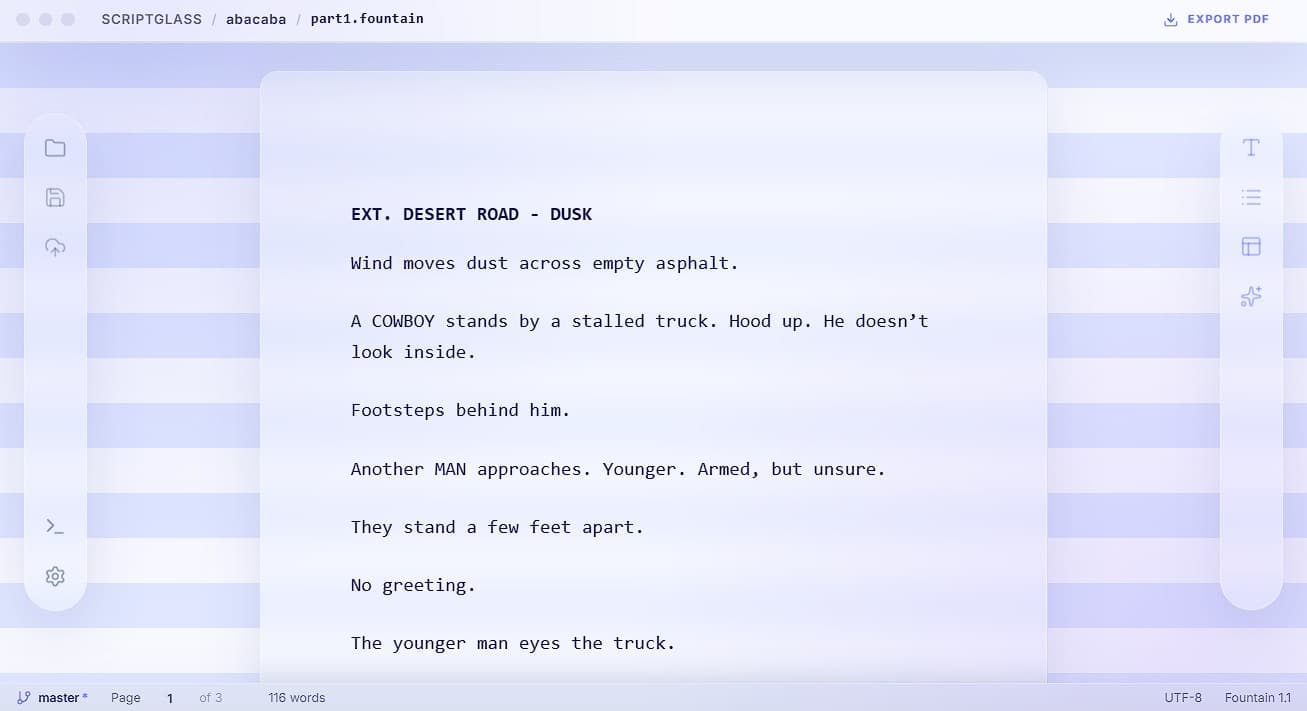
Editor Capabilities
ScriptGlass is designed to be a flawlessly minimalistic writing environment. Unlike a standard text editor, it interprets your intent in real-time while quietly syncing your drafts to GitHub behind the scenes—ensuring your work is always backed up and version-controlled.
Native GitHub Sync
Deep, secure GitHub integration for complete version history and cross-device backups. Your script is safe with every keystroke.
Smart Formatting
Context-aware writing that knows you're about to write dialogue after a character name.
Interactive Page Navigation
Real-time page counting that respects your manual spacing. Click the page indicator in the footer to jump instantly to any page.
Scene Navigator
A dedicated outline view in the sidebar that allows you to jump between scenes with a single click.
AI Enhancement
Highlight snippets of your script to get AI-powered suggestions for dialogue or action enhancements.
Standard Fountain Syntax
Supports Scene Headings (starting with . or INT.), Transitions (>), Shots (!), Parentheticals (), and more.
Hotkey Support
Quick formatting buttons and Alt/Cmd shortcuts (1-7) to manually set line types.
Empty Line Preservation
Full support for manual vertical spacing, ensuring your script's rhythm is preserved both in the editor and PDF export.
Integrated Development
Access a built-in terminal to manage files or run local scripts without leaving the editor.
Getting Started
Connect GitHub
Simply sign in from the window that opens automatically to authorize the app and enable syncing.
Create or Clone
Start a new project from scratch or clone an existing screenplay repository.
Write
Start typing! Use standard Fountain syntax.
Sync
Use the Cloud icon to push your latest drafts to GitHub.
Export
Click "Export PDF" to generate your final script.
Ready to write?
Experience the rhythmic and fluid writing environment that feels natural to professional writers.